

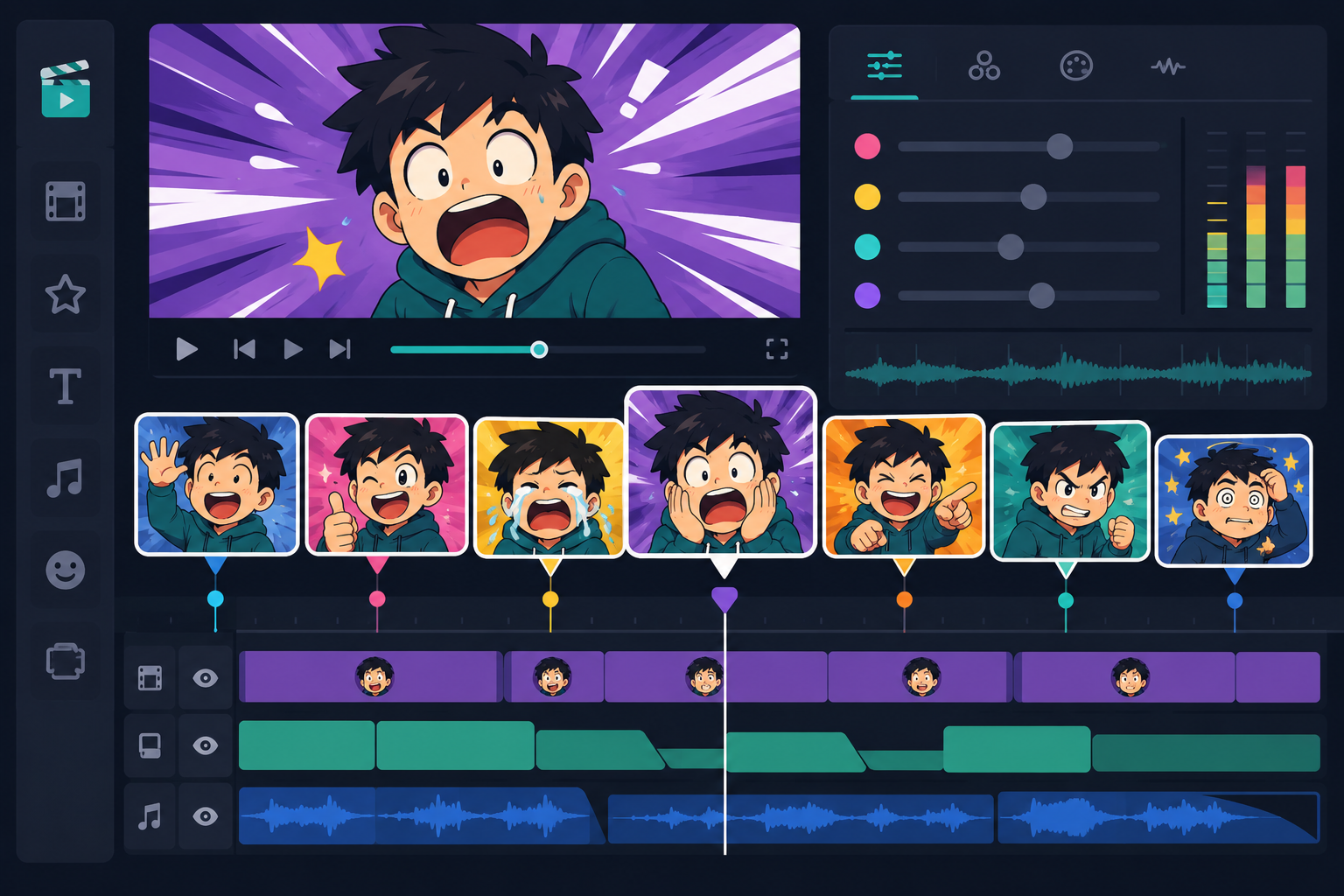
A video edit lives or dies on pacing, and one of the fastest ways to add rhythm to a cut is dropping in a short reaction clip exactly where the moment needs a beat. Unlike a static reaction gif, a short reaction clip carries a tiny bit of motion and sometimes audio, which makes it useful in places a gif can't quite reach — inside a video timeline, layered into a stream overlay, or used as a quick visual gag in an edit without breaking the flow of the footage underneath it.
For content creators specifically, short reaction clips have become a genuine editing tool rather than just a meme format, and knowing how to use them well is a real skill that separates edits that feel tight and intentional from ones that feel like random clips thrown in for the sake of it.
What separates a reaction clip from a reaction gif
The core difference comes down to format and context. A reaction gif is typically a short, looping, silent clip meant to be dropped into text-based conversations. A reaction clip is usually treated more like raw footage — it can include audio, doesn't need to loop, and is built to be layered into a larger video project rather than sent as a standalone reply. Because of that, reaction clips tend to be evaluated less on "is this funny on its own" and more on "does this fit the pacing of the edit I'm building."
This distinction matters when you're picking clips for a project. A clip that would make a great reaction gif on its own might actually feel awkward layered into a fast-cut montage if its timing doesn't match the rhythm of the surrounding footage.
Audio matters more here than in gifs
Because reaction clips are often used with sound, the audio quality and tone of the clip itself becomes a bigger factor than it would for a silent gif. A clip with a sharp, distinct sound effect attached can do a lot of comedic or dramatic work on its own, layered under a cut or transition, in a way a purely visual reaction can't replicate.
Using short reaction clips in video edits
In edited content — highlight reels, comedy sketches, montage-style videos — reaction clips work best placed at natural pause points: right after a punchline, immediately following a big play or fail, or layered into a transition between two unrelated segments. The goal is almost always to punctuate a moment the audience has already started reacting to internally, reinforcing the joke rather than introducing a brand new one.
Pacing is everything here. A reaction clip that lingers too long drags the edit down, while one cut too short can feel like it barely registered. Most experienced editors trim reaction clips down to the smallest chunk that still reads clearly, often less than a second or two, and let the surrounding footage do the rest of the storytelling.
Layering clips instead of using them as full cuts
A technique worth knowing: instead of cutting fully away to a reaction clip, many editors layer a small reaction clip in the corner or as a picture-in-picture element over the main footage, keeping the primary action visible while still adding the comedic punctuation. This keeps the edit's pacing tighter than a full cutaway would and works especially well in shorter-form vertical video formats where screen space is already limited.
Using short reaction clips during live streams
Streamers use reaction clips a little differently — often as pre-loaded overlay elements triggered by a channel point redemption, a chat command, or a moderator action, playing briefly over part of the stream in response to something happening in the game or conversation. Here, clip selection needs to account for the fact that the reaction is happening live, in real time, alongside everything else on screen, so shorter and less visually busy clips tend to work better than anything that might clutter an already active stream layout.
Because stream reaction clips often get triggered repeatedly across a session, the same fatigue issue that affects notification sounds applies here too — a clip that's hilarious the first handful of times can become background noise or even mildly irritating after dozens of repeats in a single stream. Rotating a small set of clips, rather than relying on just one, helps keep them landing throughout a longer broadcast.
Building a stream-ready clip rotation
Most active streamers end up building a rotation of somewhere between five and fifteen reaction clips tied to different triggers or moments — a win, a fail, a donation, a specific recurring bit unique to their channel. Keeping this rotation fresh by swapping a clip or two out periodically prevents even loyal viewers from tuning the reactions out entirely after long-term exposure.
Using short reaction clips in chats and comments
Outside of formal edits and stream overlays, short reaction clips also get used more casually — dropped into Discord messages, shared in comment sections, or sent directly in chats where a video format feels more fitting than a static gif. This casual use overlaps a lot with how people already use reaction gifs, though clips with audio carry an extra layer of expressiveness for anyone watching with sound on.
How to pick the right clip for the moment
Whether you're editing, streaming, or just replying in a chat, the same basic principle applies: match the energy of the clip to the moment, not just the topic. A subtle, understated reaction clip can undercut a big moment just as effectively as an over-the-top one can oversell a small one, and getting that balance right is often what separates a genuinely well-paced edit or stream from one that feels randomly assembled.
Building a personal or channel-branded clip library
Many creators eventually build a small signature set of reaction clips that become associated with their specific channel or editing style, the same way a recurring visual gag or sound sting can become part of a creator's identity over time. This doesn't need to happen all at once — starting with three or four reliable, versatile clips and expanding slowly as you find new ones that fit your content is a far more sustainable approach than trying to build an enormous library upfront and never using most of it. Viewers also start to recognize a creator's specific reaction clip choices over time, which can become a small but genuine part of what makes a channel feel consistent and familiar.
Where to find short reaction clips
SoundGIFs offers a growing collection where creators can browse short reaction clips for edits and streams and preview timing and audio before downloading. If you're building out a broader toolkit for group chats and casual use alongside your creator work, the funny meme sounds collection and reaction gifs by emotion collection both pair well with reaction clips for a more complete reaction library across formats.
Conclusion
Short reaction clips have become a real part of the content creation toolkit, not just a meme format borrowed for fun — used well, they add pacing, punctuation, and personality to edits and streams in a way that's hard to replicate with text or static images alone. Build a small, well-tested rotation for your specific format, pay close attention to timing and audio, and swap clips out regularly so they keep landing instead of fading into background noise. Head to SoundGIFs to find short reaction clips worth adding to your next edit or stream.