

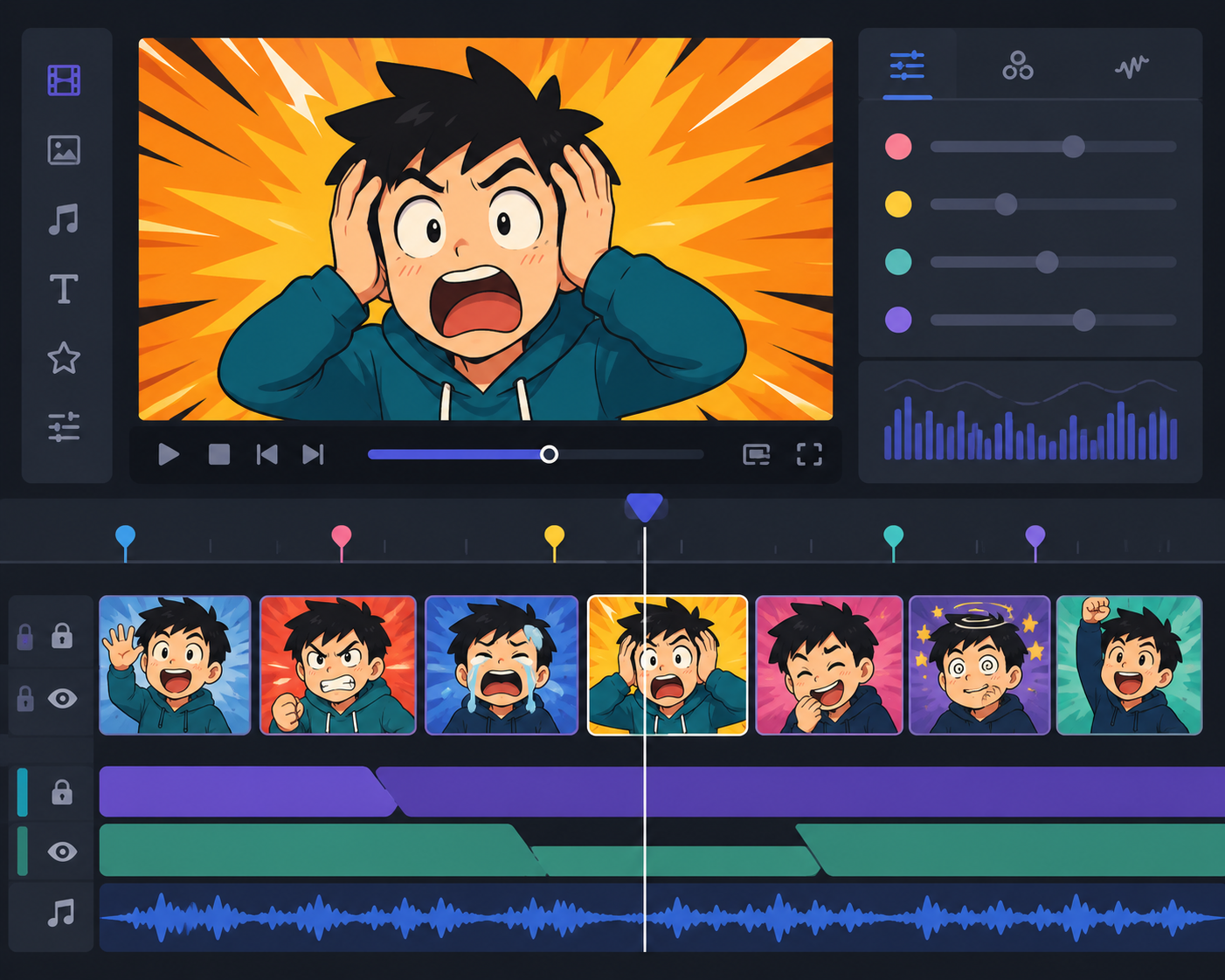
A well-placed reaction clip can do more comedic or emotional work in half a second than an entire paragraph of dialogue. That's why reaction meme clips have become a staple tool for editors and streamers: dropped into a cutaway, layered as an overlay, or used to punctuate a punchline, they give a video a rhythm that straight talking-head footage often lacks. Building a reliable library of these clips, organized by the kind of reaction they capture, makes editing noticeably faster once you know exactly what to reach for in a given moment.
This guide breaks down the reaction types worth having on hand, how they're typically used in edits and live streams, and how to organize a clip library so you're not scrambling mid-edit to find the right one.
Why Reaction Meme Clips Are a Core Editing Tool
Pacing is one of the hardest things to get right in short-form video, and reaction clips are one of the fastest ways to fix a flat moment. A joke that doesn't land on its own often works when it's immediately followed by an exaggerated confused or shocked reaction clip, because the cutaway does the comedic timing that dialogue alone couldn't. For streamers, reaction clips serve a similar purpose live — dropped in as an alert overlay or triggered during a chat moment, they add personality and pacing to a broadcast in real time.
Types of Reaction Meme Clips Worth Having on Hand
Shock and Disbelief Clips
A wide-eyed, jaw-drop reaction is one of the most versatile clips an editor can keep in rotation. It works for genuinely surprising reveals, absurd statements, or as a comedic exaggeration when something only mildly surprising happens. Because the emotion is so universally recognizable, this type of clip rarely needs much context to land.
Confusion and Skepticism Clips
A squinting, head-tilt, or "wait, what?" reaction clip is perfect for moments where a statement needs a beat of doubt before the video moves on. These work especially well right after an odd claim or a confusing edit transition, giving the viewer a shared moment of "yeah, I don't get it either."
Approval and Hype Clips
Not every reaction needs to be negative or confused — hype clips, fist pumps, or an enthusiastic nod work well for celebrating a win, a good play, or a satisfying moment in a video. These are especially useful in gaming content and highlight reels where the energy needs a visible boost.
Deadpan and Unimpressed Clips
A flat, unbothered stare is one of the most flexible reaction clips available, since it works as both a comedic punchline and a sarcastic commentary track without needing any dialogue at all. It's particularly effective right after a moment that's trying too hard to be dramatic.
browse funny fail clips for compilation edits
Where Reaction Clips Fit Into an Edit
Reaction clips generally serve one of three roles in a finished video:
- Punchline cutaways — cutting to a reaction immediately after a joke or statement to land the comedic timing
- Transition beats — using a short reaction clip to bridge between two unrelated segments without a jarring jump cut
- Emotional punctuation — reinforcing how the audience should feel about a moment, especially in highlight or recap videos
Understanding which role you need in a given edit makes it much faster to pick the right clip rather than scrolling through an entire folder hoping something fits.
Using Reaction Clips in Live Streams
Streamers often use a smaller, curated set of reaction clips triggered through overlay software during specific moments — a donation, a subscriber alert, or a chat-requested reaction. Because live content moves fast, it helps to keep this set small and instantly recognizable rather than pulling from a huge general library mid-stream. A handful of clips covering hype, shock, and comedic disappointment usually covers most live moments.
Building and Organizing a Reaction Clip Library
A disorganized folder of clips slows editing down significantly. A simple system that works well:
- Sort clips into folders by emotional category — shock, confusion, hype, deadpan — rather than by source or date
- Keep clips trimmed tightly to just the reaction itself, without extra dead space before or after, so they drop into a timeline without additional trimming
- Name files descriptively so you can search quickly under time pressure during an edit
- Periodically remove clips you never end up using, keeping the working library lean
If you're building this library from scratch, it's usually faster to browse an existing collection organized by reaction type than to search for individual clips one at a time. explore gaming highlight clips if your content leans toward gaming commentary, where hype and shock reactions get used constantly.
Reaction Clips and Fair Use Considerations
When using any reaction clip sourced from existing footage, keep in mind that the original material may still carry its own rights depending on where it came from and how it's used. It's worth using clips from sources that are clearly intended for reuse in edits, and giving credit where a platform or license requires it, rather than assuming any clip found online is automatically free to use however you like.
Matching Reaction Clips to Your Content's Tone
Not every reaction clip fits every channel's style. A fast-cut comedy edit and a more grounded commentary video call for different kinds of reactions, even if both technically need a "shock" clip at some point. Comedy-focused content tends to favor bigger, more exaggerated reaction clips that lean into the absurdity of the moment, while more measured commentary or review content usually benefits from subtler reactions that don't overpower the creator's own tone. Before building out a large reaction library, it's worth watching a few of your own recent videos or streams and noting where a reaction clip would have genuinely helped, rather than collecting clips indiscriminately and hoping they'll fit somewhere later.
Refreshing a Reaction Clip Library Over Time
Reaction clips, like memes generally, can start to feel dated if they're overused for too long without any refresh. It's worth periodically reviewing your library and swapping out clips that have started to feel stale or overly familiar to your regular audience, replacing them with newer finds. Keeping a small "currently in rotation" folder separate from your full archive can help here — it keeps your most-used clips easy to access while giving you room to experiment with new additions without disrupting your core workflow.
Reaction Clips for Collaborative and Multi-Creator Content
If you regularly edit content with other creators, or produce videos for a channel with multiple contributors, it helps to keep your reaction clip library somewhere shared and consistently organized, rather than scattered across individual editors' personal folders. A shared, well-labeled library keeps everyone's editing style loosely consistent and saves time when multiple people are working on episodes for the same series. It also makes onboarding a new editor much faster, since they can browse an established, categorized set instead of building a reaction library completely from scratch.
Conclusion
A strong library of reaction meme clips, organized by the specific emotion each one captures, makes editing and live-streaming noticeably faster once you know exactly what you're reaching for. Build your collection around a handful of core reactions — shock, confusion, hype, and deadpan — and keep clips trimmed and clearly labeled so they're ready to drop into a timeline the moment you need them. SoundGIFs is a solid place to browse reaction clips by type when you're ready to expand your own editing library.