

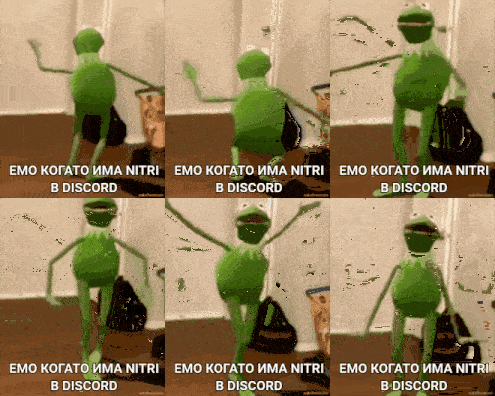
A server only feels alive when its members have quick, expressive ways to react without typing a full sentence every time. That is exactly what a good set of discord sticker ideas solves: instead of relying on the same three emoji over and over, your community gets a visual language of its own. If you run a Discord server and want members to actually use the custom sticker tray instead of ignoring it, the trick is picking themes that match how your community actually talks, not just uploading whatever looks cute.
This guide breaks discord sticker ideas down by purpose, so you can build a set that covers onboarding, events, inside jokes, and daily chatter without ending up with a cluttered, unused sticker tray.
Why Sticker Themes Matter for Community Servers
Discord limits how many stickers a server can hold based on its boost level, so every slot matters. A random assortment of stickers grabbed without a plan tends to get buried and forgotten within a week. A themed approach, on the other hand, gives members a reason to remember what is available and when to use it.
Think of your sticker tray as a small toolkit. Members should be able to glance at it and immediately know which sticker greets a newcomer, which one hypes up an event, and which one is the server's private joke. That clarity is what turns stickers from decoration into an actual communication habit.
Discord Sticker Ideas by Server Purpose
Breaking your sticker slots into categories makes the whole set easier to plan and easier for members to learn. Here are the categories that tend to get the most use in active communities.
Welcome and Onboarding Stickers
New members often lurk for days before saying anything. A friendly welcome sticker in your introductions channel — a waving character, a "glad you're here" badge, or a simple confetti burst — gives long-time members an easy, low-effort way to greet newcomers without writing a paragraph. Consider a two- or three-sticker welcome set: one for the initial greeting, one for when a new member introduces themselves properly, and one celebratory sticker for when someone hits a milestone like their first message in general chat.
 *A black and white drawing of a cartoon character with the words hello '' written on ... — view on SoundGIFs*
Event and Announcement Stickers
If your server runs game nights, watch parties, giveaways, or study sessions, a dedicated set of event stickers helps announcements stand out visually in a busy channel. A "starting soon" clock sticker, a "we're live" badge, and a "thanks for coming" sticker cover the full lifecycle of an event without anyone needing to type it out. These are especially useful for mod teams who post the same kind of announcement weekly, since the sticker becomes a recognizable visual cue members learn to notice immediately.
Building Inside-Joke Sticker Sets
The stickers that get used the most in mature communities are almost never the generic ones — they are the inside jokes. A recurring server meme, a mispronounced word that became a running gag, or a moment from a community event can all become a sticker that only your members truly understand, which is part of what makes it fun.
Turning Server Memes Into Stickers
If your community already has a meme, phrase, or reaction image that gets posted constantly, that is a strong candidate for a sticker rather than a fresh image upload every time. Converting a recurring joke into a sticker keeps the chat cleaner because members react with one tap instead of searching their camera roll for the same picture again. When picking art style, keep it simple: bold outlines and a limited color palette read better at small sticker sizes than detailed illustrations.
 A group of people are sitting in a room and laughing . — view on SoundGIFs
A good practice is to let the community suggest and vote on which inside jokes deserve a permanent sticker slot. This does two things: it keeps the tray relevant to what people actually find funny right now, and it gives members a small sense of ownership over the server's identity.
Organizing Stickers So Members Actually Use Them
Even a great set of discord sticker ideas fails if nobody remembers they exist. A few organizational habits help:
- Keep the total set small and curated rather than maxing out every slot with filler. Six well-chosen stickers beat twenty forgettable ones.
- Name each sticker clearly so it is searchable in the sticker picker — vague names make members give up and switch back to emoji.
- Pin a short message in your rules or welcome channel showing what each custom sticker means, especially for inside jokes that are not obvious to newer members.
- Rotate seasonal or event-based stickers out when they are no longer relevant, freeing up slots for new ones.
If you are still gathering source art for your sticker set, browse cute sticker packs for ready-made styles you can adapt, or check out meme sticker packs for humor-driven templates that translate well into a Discord sticker tray. For servers that lean more professional or hybrid work-and-hangout spaces, it's also worth looking at office-appropriate chat stickers so your sticker set doesn't feel out of place if colleagues or clients ever pass through.
Matching Sticker Ideas to Your Server's Personality
A gaming server, a study group, and a fan community all need different sticker energy. Gaming servers tend to favor hype and reaction stickers — victory poses, "gg" badges, rage-quit faces. Study or productivity servers do better with calmer, encouraging stickers: a "focus mode" badge, a small celebration for finishing a task, a gentle "take a break" reminder. Fan communities usually want stickers tied to whatever the community is centered on, paired with a few universal reaction stickers for general chat.
The common thread across all of these is restraint. A themed, purposeful sticker tray always outperforms a large but random one, because members can actually predict what each sticker means the moment they see it.
Sticker Ideas for Multi-Server Communities and Partnered Servers
Some communities span more than one Discord server — a main hub plus a few affiliated or partner servers, or a brand with both a public server and a smaller team server. In these cases, it helps to design a shared visual language across servers rather than treating each sticker tray as a completely separate project. A consistent mascot, color palette, or art style across partnered servers makes cross-posting and shared events feel more cohesive, and it signals to members moving between servers that they're still part of the same broader community.
If your server regularly runs joint events with other communities, consider designing one or two "collab" stickers specifically for those occasions rather than pulling from your regular set. A special sticker used only during a crossover event or joint stream gives members something exclusive to look forward to, and it naturally gets retired once the event wraps up, which keeps your permanent sticker slots free for evergreen content.
Refreshing an Existing Sticker Set Without Starting Over
If your server already has a sticker tray that's gone stale, you don't need to delete everything and start fresh. Look at which existing stickers actually get used by checking how often members reach for them in the sticker picker, then swap out the ones that never get touched. A gradual refresh — replacing one or two low-use stickers every month — keeps the tray evolving with your community without the disruption of relaunching the whole set at once. This also gives you a natural opportunity to retire stickers tied to jokes or events that have run their course, replacing them with whatever your community has moved on to since.
Conclusion
Good discord sticker ideas are less about finding the funniest single image and more about building a small, coherent set that matches how your specific community talks. Start with welcome and event stickers to cover the basics, add one or two inside-joke stickers once your community has an established running gag, and keep the whole tray small enough that members actually remember what is in it. Once you have a shortlist of styles you like, SoundGIFs is a good place to browse ready-made sticker art you can adapt for your own Discord server.